Modern Graphic Logo Design Principles for Strong Brands
Master modern logo graphic principles to build strong, scalable, and responsive brand identities.
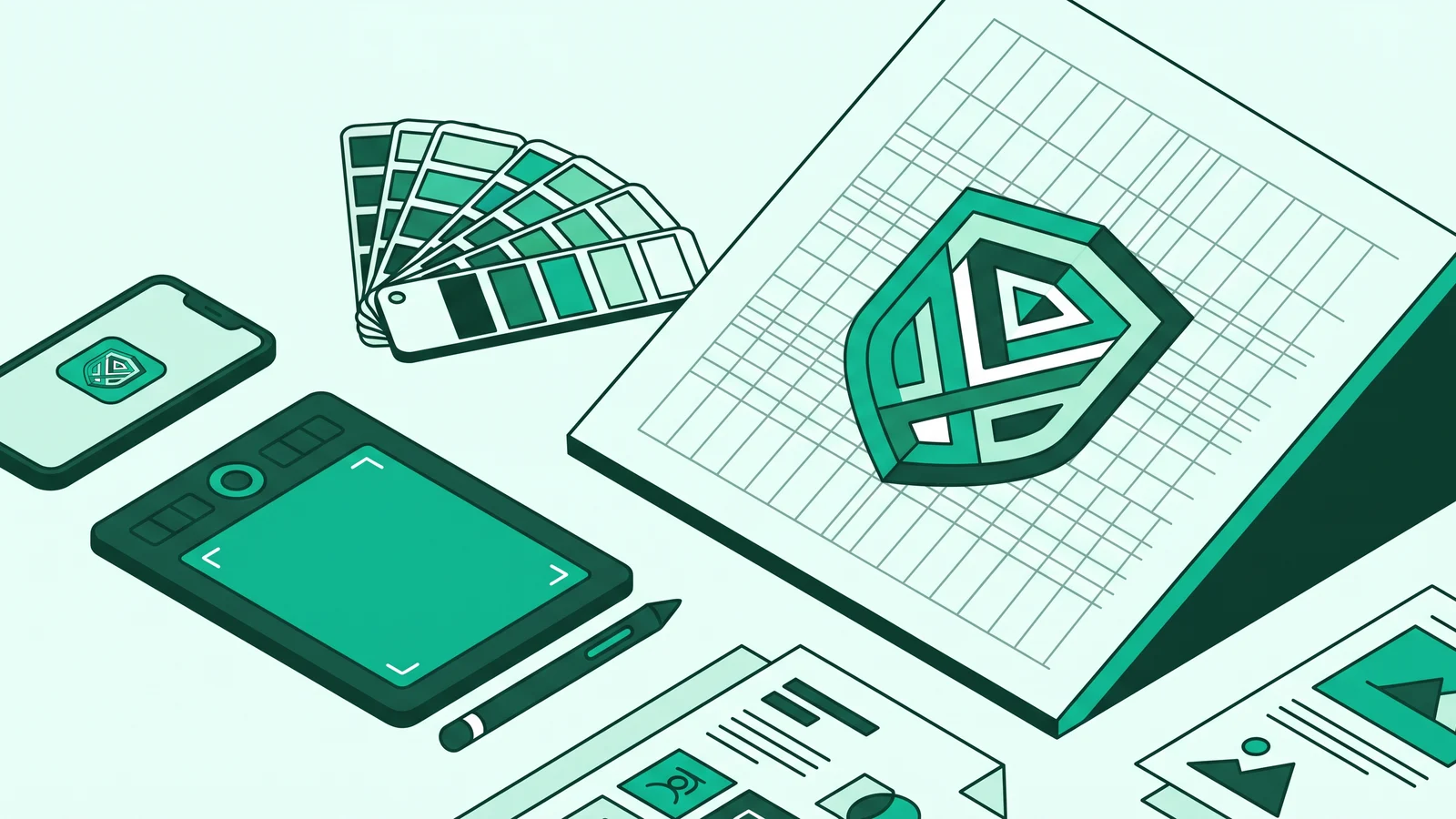
Modern logo graphic design principles for a strong brand identity require designers to build responsive visual systems based on human cognition, optical balance, and modular vector architecture. A logo is no longer a static decorative symbol, but a functional interface component that must maintain its clarity from a 16x16 pixel micro favicon to a massive billboard.
Many designers get trapped creating complex illustrations that look stunning on a 5K monitor but fall apart when scaled down to an app icon or screen-printed in a single color on packaging. Designing a resilient visual identity demands the discipline to trim excess elements (intentional minimalism), master fluid geometry, and apply technical precision at the Bézier curve code level.
Foundations of Modern Logo Graphic Principles for Strong Brand Identities
Fundamentally, a modern logo acts as a cognitive shortcut. Visual perception research shows that the human brain processes monochromatic silhouettes much faster than it decodes colors or reads brand names. Therefore, modern logo design principles stand on five interlocking pillars:
- Reductive Simplicity (Intentional Minimalism): Trimming decorative ornaments that serve no communication function to reduce the audience's cognitive load, helping the brain recognize visual marks in milliseconds.
- Scalability and Legibility: Ensuring the line structure and negative space remain sharp at micro and macro resolutions without losing their original character.
- Gestalt Perceptual Integrity: Using the human visual nerve's tendency to unite separate elements into a cohesive and meaningful whole shape.
- Geometric and Optical Balance: Combining the order of mathematical ratios with human eye corrections so shape proportions feel natural and stable.
- Responsive System Adaptability: Breaking the identity structure into several levels of lockup variations that adapt to the spatial context of the screen displaying the logo.
Applying Gestalt Theory in Symbol Construction
Our brains instinctively reject visual chaos. When looking at a group of dots or line segments, our subconscious immediately looks for patterns, simplifies complex shapes, and fills in blank gaps. Mastering Gestalt theory in logos allows you to embed layered stories into shapes that look simple on the surface.
Using the figure-ground principle or negative space produces much higher long-term visual recall. When the audience's eyes successfully find a hidden shape in the logo's empty space, the brain actively participates in decoding the meaning. This brief cognitive experience implants the brand identity deeper into their memory.
Geometry, Golden Ratio, and Optical Correction
Fluid lines on world-class symbols almost always rely on a disciplined modular grid construction. Many designers use an 8-point grid system to align with interface component tokens in Figma or the web, or apply the Golden Ratio (1:1.618) as a guide for curve proportions and spatial hierarchy.
However, rigidly forcing mathematical compliance often produces logos that feel off-balance. Design analysis proves that forcefully overlaying Golden Ratio circles after completing a sketch (retroactive grid fitting) does not guarantee visual harmony. The human eye has a natural perception bias, so optical balancing must always overrule software calculations:
- Visual Center Correction: A triangle or arrow placed exactly at the geometric center of a box will appear to lean backward. Shift the triangle's center of gravity slightly toward its pointed end so it looks balanced in the middle.
- Horizontal Line Weight Correction: A horizontal line with the exact same pixel width as a vertical line will appear thicker to the human eye. Slightly reduce the thickness of horizontal bars compared to vertical ones to achieve equal visual weight.
- Overshoot Technique on Curves and Sharp Angles: A circle or triangle peak made exactly the height of a perfect square will look shorter. Extend the peak of the curve and the sharp tip beyond the top and bottom boundary lines (overshoot) so they appear level with the adjacent square elements.
A geometric grid's neatness is an initial roadmap, not a prison. If mathematical calculations produce a silhouette that feels tilted or lopsided, always trust your eye's optical correction over coordinate numbers on the screen.
Moving Past the Blanding Trend: Character Amid Minimalism
The wave of extreme logo simplification (debranding) has dragged many companies into a trap of visual uniformity often called blanding. Many global brands discard their distinct symbols and replace them with plain geometric sans-serif typefaces that look identical to one another.
Although flat minimal design is highly efficient for mobile screens, losing differentiation is a serious threat to brand equity. Currently, the direction of Guide to Graphic and Modern UI Design Styles is shifting to correct this saturation. Identity designers are starting to combine the modular order of Swiss Style Design with sharp-accented custom typography (bespoke) that takes subtle inspiration from Neo-Brutalism.
How do you maintain the efficiency of a minimalist brand visual identity design without falling into a boring generic logo? The key lies in injecting measured visual anomalies:
- Custom Ligature Modification: Connecting two specific letters in a wordmark with a unique curve or modifying vowel curves that are unavailable in standard fonts.
- Contrast of Sharp Angles and Curves: Inserting sharp angle cuts into the anatomy of a letter or geometric symbol to create a bold visual accent.
- Controlled Asymmetry: Breaking one part of the symmetry in a symbol to create a focal point that triggers the audience's curiosity.
Responsive Identity Systems and Typography Partnerships
In a multi-screen digital ecosystem, forcing one full logo version for all media sizes is a huge mistake. Modern logo graphic design principles require designers to create modular systems that adapt to pixel space availability.
At the Micro Mark level, you do not just shrink the image size. You must widen negative space gaps and thicken thin lines (stroke expansion) so the symbol shape does not clump into a blurry smudge when rendered on a 16x16 pixel grid.
The Complementary Law of Logomark and Logotype
When pairing a graphic symbol (logomark) with the brand name text (logotype), the two must not compete for attention. Apply the complementary law of visual hierarchy. If your symbol already has a complex or dynamic conceptual shape, balance it with calm and neutral grotesque or sans-serif typography. Conversely, if the wordmark is the main center of attention, keep the accompanying symbol shape at its most minimal level.
A deep understanding of the History of TTF & OTF Fonts: 5 Key Typography Shifts greatly helps designers dissect letter structures. When working on a logotype, never leave the letter spacing entirely to the software's automatic metric kerning feature.
Letter pairs with open diagonal or horizontal spaces like T-O, A-V, or L-Y always leave optical gaps that appear wide open. You must adjust the optical kerning manually until the volume of empty space between each letter feels equally dense.
Never build a logo structure on hairline strokes. Lines that look elegant on a 5K Retina monitor will vanish when the logo is reduced to a web favicon, or break when applied as embroidery on uniform fabric fibers. Test your minimum line thickness by zooming the canvas out to 10% or 20%.
HSL Color Architecture and WCAG 2.2 Accessibility Standards
Defining logo colors cannot rely merely on aesthetic taste on a white canvas. In modern digital products, a logo almost always doubles as an interactive interface component, namely the main navigation marker to return to the Home page.
Formally, the Web Content Accessibility Guidelines (WCAG) 2.2 through Success Criterion 1.4.3 (Minimum Contrast 4.5:1) and 1.4.11 (Non-text Contrast 3:1) do exempt logotypes from strict contrast requirements. However, interface accessibility studies prove that ignoring the 3:1 contrast ratio on logos in dark mode or on top of photo backgrounds reduces site usability and harms brand equity.
To build a consistent logo color system across various interface themes, use the HSL (Hue, Saturation, Lightness) color model approach, which aligns with The Definitive Guide to Color Theory in Visual Arts:
- Lock the Hue Value (Main Shade): Determine the primary Hue value as the anchor of your brand color identity.
- Light Theme Variant: When the background has very high Lightness (above 95%), use a logo color with low Lightness (below 20%) so the silhouette looks bold and easily recognizable.
- Dark Mode Variant: When the background flips to dark, keep the original Hue value, adjust the Saturation level so the color does not glow brightly in the eyes, then increase the logo's Lightness value (above 85%) to meet the visual contrast ratio against the dark background.
Besides testing dark theme contrast, conduct a sensory accessibility audit using color blindness simulation filters (protanopia and deuteranopia) and a blur test. This testing ensures the logo's outer silhouette and internal element separation remain recognizable by users with vision impairments before they read the text.
Technical Engineering: Clean Bézier Curves and SVG Code Optimization
This is the real differentiator between amateur designers and senior practitioners. For web developers and product designers, a logo in the digital era is a vector code asset, not just a static image. The primary logo distribution format on modern interfaces is the XML-based SVG (Scalable Vector Graphics).
A common graphic designer mistake is exporting a logo with dozens of overlapping anchor points caused by auto-trace features or messy shape merging. Excess anchor points on Bézier curves not only make curve edges look wavy but also bloat the kilobyte (KB) file size on the web DOM (Document Object Model) and trigger rendering lag when the logo receives CSS or GSAP animation.
Clean Bézier curve construction requires placing anchor points only at the extreme ends of the curve. Pull the control handles carefully to form a smooth curve with the absolute minimum number of points.
When handing off an SVG asset to the development team, you can write a clean code structure that directly supports dark mode adaptation via CSS variables like the example below:

Notice how the SVG code above is free of default software junk metadata, includes the accessibility attribute role="img" along with aria-label, and uses only very lightweight <path> and <circle> elements.
Practical Guide to Designing Scalable Logo Systems
Applying modern logo graphic principles for strong brand identities requires a systematic workflow. Jumping straight into playing with colors and visual effects on a computer screen without testing the base structure will only produce a fragile decorative symbol.
1-Bit Monochrome Silhouette Construction
Start sketching basic shapes using only 100% black value on a white canvas. Remove reliance on gradients, drop shadows, or embossed textures. If the logo fails to convey its message and differentiating character as a 1-bit silhouette, the core structure is not mature.
Modular Grid Mapping and Optical Adjustment
Transfer the best sketch to a vector canvas using an 8-point modular grid system. Build the symbol's geometry with precise and minimal anchor points. Once the mathematical construction finishes, turn off the grid lines, then apply optical corrections (curve overshoot and optical kerning at open letter intersections) using your eye's sensitivity.
Responsive Variation System Assembly
Organize the logo hierarchy into a responsive package: Full Lockup (symbol, full name, and tagline), Secondary Lockup (symbol and name text without tagline), down to Micro Mark (essential symbol or monochromatic initials). Test the Micro Mark variant directly at 16x16 to 32x32 pixel boundaries so its details do not break or blur together.
HSL Palette Calibration and Accessibility Testing
Set HSL-based color tokens for light and dark modes. Test contrast ratios against backgrounds to ensure interface readability hits at least 3:1. Also, run a blur test and color blindness simulation filters to make sure the logo silhouette stands on its own without relying purely on color.
Vector Standardization and Asset Package Export
Convert all outlines into closed curves (outline stroke) and unite overlapping planes so they leave no false gaps. Clean the point code structure to produce a lightweight SVG file, then prepare an industry-standard handoff package: pure vectors (.SVG, .AI, .EPS), 300 DPI CMYK print documents, and scaled transparent PNG raster exports (1x, 2x, and 3x scale).
When exporting transparent PNG raster assets for the web, always test their placement over dark and light backgrounds side-by-side. This simple step helps you detect thin white pixel leaks on curve edges before the assets go to the development team.
Frequently Asked Questions (FAQ)
No. The Golden Ratio (1:1.618) is only a proportion tool, not an absolute formula for beauty. Many legendary logos succeed purely through adherence to visual balance principles, silhouette contrast, and an understanding of shape anatomy that feels comfortable for human eye perception (optical alignment).
A Logomark is a pure visual symbol without text (example: Nike's swoosh or Apple's apple symbol). A Logotype or wordmark is the brand name text designed with custom typography without a symbol (example: Google or Braun). Meanwhile, a Combination Mark pairs a graphic symbol and typography side-by-side or stacked in a single unified identity.
The main reason is cross-platform digital compatibility. In the era of mobile computing, app interfaces, and smartwatches, logos must render quickly in lightweight SVG vector formats and remain sharp on micro-resolution screens without being distorted by complex details.
Logos are not delivered in a single static pixel resolution, but rather in industry-standard pure vector formats (.SVG, .AI, .EPS) that scale infinitely. This vector package then includes scaled raster exports (transparent PNG) at 1x, 2x, and 3x resolutions for digital screens, as well as a 300 DPI CMYK vector color profile for printing needs.