Guide to UI UX Designer Roles and Real Product Career
Explore the UI UX designer guide, essential skills, and digital product design career paths.
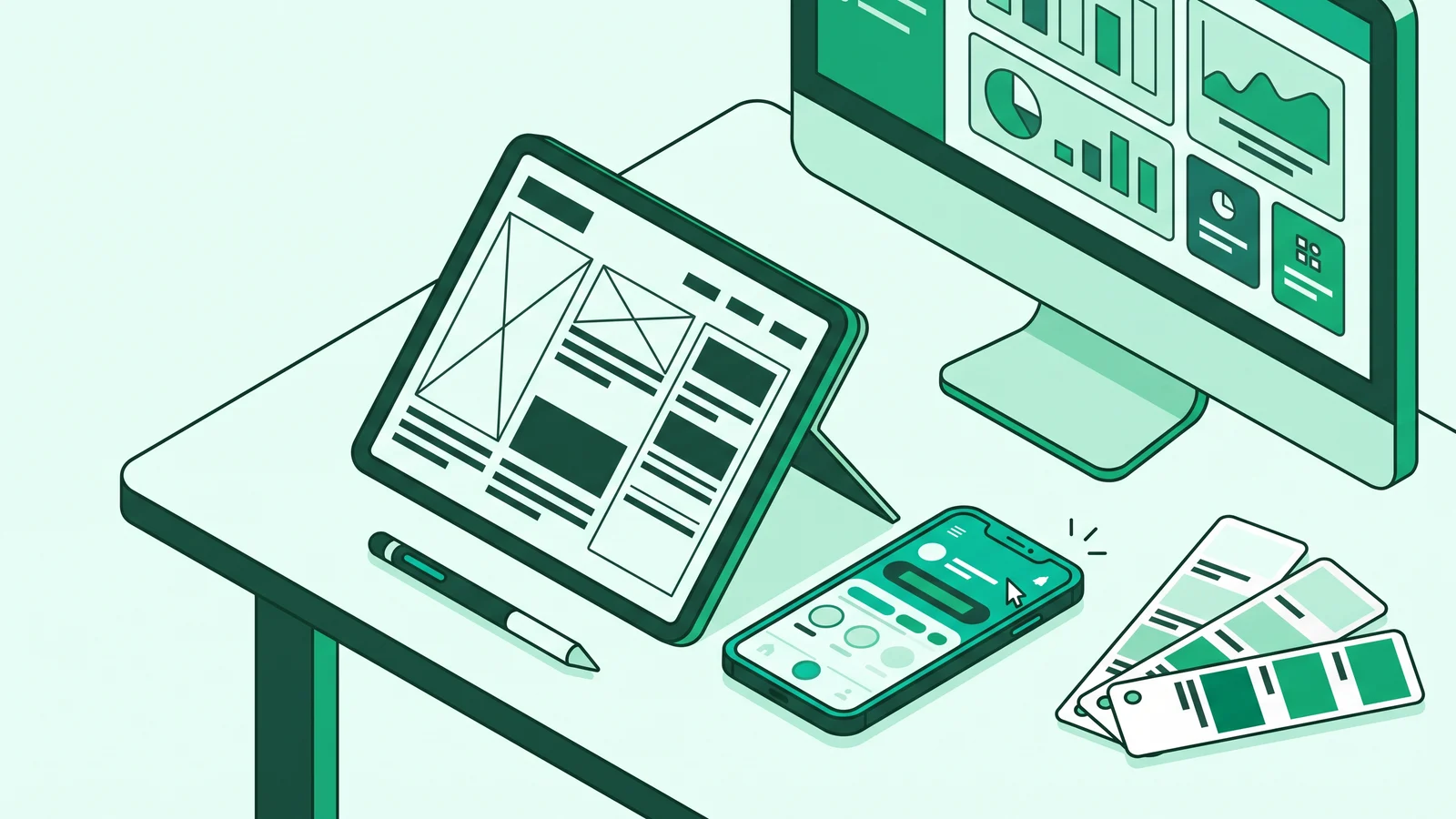
This UI/UX Designer Guide and Digital Product Career Path maps out the concrete steps to design visual interfaces (UI) and cognitive interaction flows (UX) in modern applications. A digital product designer bridges company business goals with actual user needs through behavioral research, modular design systems, WCAG 2.2 accessibility standards, and technical collaboration with development teams.
Many beginners think this profession only involves choosing attractive color palettes in Figma or arranging mobile app buttons. In reality, digital product design requires sharp analysis to resolve actual interaction blockers.
Designers must ensure software is not only visually pleasing but also intuitive and efficient when used by millions of people with varying technical abilities.
Understanding the UI/UX Designer Role as a Problem Solver
In practice, a UI/UX designer is a multidisciplinary practitioner who aligns user needs with business metrics through functional, scalable, and aesthetic software interfaces. To understand their scope of work, we need to examine these two interlocking domains.
User Experience (UX) roots itself in cognitive psychology, user research, information architecture, wireframing, and user flows. UX practitioners analyze how users navigate between pages, identify mental friction during checkout forms, and reduce confusion during active transactions. The goal is to ensure the product has high utility and usability.
User Interface (UI) roots itself in applied arts and visual communication principles. This layer covers HSL based color theory, semantic contrast, web typography, modular grid systems, UI/UX visual hierarchy principles, and micro-interactions. The goal is to present a harmonious and easily scannable interface for maximum clarity.
When these two disciplines combine, the main task of a designer goes far beyond pixel pushing. They transform complex data into simple workflows that directly move product metrics, such as speeding up Time to Value (TTV), increasing Activation Rate, and mitigating churn.
Visual neatness cannot save a broken interaction flow. A checkout button with the latest gradient still fails functionally if users do not understand the verification steps they must pass.
Daily Tasks in a Digital Product Team
Career switchers and graphic designers wanting to enter the tech industry often ask what the daily work of a designer looks like in a digital product company.
A designer's daily workflow does not revolve around a blank canvas all day. This job requires cross functional collaboration with Product Managers (PM), user researchers, and web developers. These daily activities break down into four main phases.
1. User Research and Mapping Blockers
Before opening design software, designers start their work by digging into data. They interview users, analyze app interaction session recordings, and read visitor behavior analytics reports.
If many users abandon the app on the account registration page, designers must find the root cause. They test whether the form is too long, the instruction text is confusing, or the verification button is hidden by the virtual keyboard on a mobile screen.
2. Information Architecture and Wireframing
After mapping the problems, designers create a rough layout in the form of a monochromatic framework (wireframe). At this stage, designers intentionally remove colors and visual decorations so the team focuses purely on information structure.
Designers determine which elements users should read first, set the navigation structure from the main menu to sub-features, and ensure data flows logically. Completing the structure in this phase saves software engineering teams dozens of hours before moving into visual details.
3. High Fidelity Visual Design and Prototypes
In this phase, designers apply a mature digital product design system. They set the typography scale, color contrast ratios based on WCAG UI/UX standards, component states (default, hover, focused, disabled), and page transitions.
This high fidelity design also adopts graphic and modern UI design styles that fit the brand character. Examples include Bento Grid layouts that group SaaS dashboard features into proportional asymmetrical cards, controlled Neo-brutalism with hard strokes and solid shadows on modern financial platforms, or Swiss Style Design relying on mathematical grids and large-scale grotesque sans serif typography.
4. Design Handoff to Engineers
The final stage of the feature design cycle is handing over design specifications to the web development team. Through features like Figma Variables, Dev Mode, and Design Tokens, designers no longer hand over static images, but rather modular assets based on code logic.
Standardizing design variable naming acts as a bridge language between the design canvas and the developer's CSS architecture. This approach drastically cuts miscommunication during product development. Here is an example of a Design Tokens structure in JSON format that unites designer specifications with front-end code:

Visual Foundations and Applied Arts to Master
Knowing how to operate design software is only a basic technical requirement. To ensure designs have high utility and translate easily into production code, master these four foundational visual principles.
1. HSL Based Color Systems
Avoid picking HEX color codes randomly from a color picker. Use the HSL (Hue, Saturation, Lightness) format to build a consistent semantic color palette.
First, set one base brand color, for example, blue at H: 220, S: 90%, L: 56%. From this point, create a scale of light and dark variations (tints and shades from scale 50 to 900) by manipulating the Lightness numbers while slightly lowering Saturation at extreme light points so users' eyes do not tire easily. You can study the basics of spectrum mixing through this color theory in visual arts guide.
2. Gestalt Principles in Interface Layouts
The human brain naturally groups complex visual stimuli into organized patterns. The three most essential Gestalt principles in digital interfaces are:
- Law of Proximity: The space between related elements must be tighter than the space between different groups. For example, the distance between a text label and its input field might be
8px, while the distance between fieldsets in the same form is24px. - Law of Common Region: Users perceive elements inside a closed boundary as a single unit. Use card containers with soft borders (
1px solid) or neutral backgrounds to separate data categories on a dashboard. - Law of Similarity: Users perceive components with similar shapes, colors, or sizes as having equal functions. Ensure all primary action buttons use a uniform visual style across the entire application.
3. Typography Hierarchy and Modular Scale
Typography on digital screens works as an information navigation instrument. Use a proven mathematical modular scale ratio, such as Major Third (1.250), to create distinct hierarchy differences without guessing font sizes:
- Body Text:
16px(1rem, with a line-height of1.5or24px) - Heading 4 (H4):
20px(1.25rem) - Heading 3 (H3):
25px(1.563rem) - Heading 2 (H2):
31px(1.953rem) - Heading 1 (H1):
39px(2.441rem)
For font pairing, combine functional sans serif typefaces that are easy to read at small sizes (like Inter, Plus Jakarta Sans, or Roboto) for body text and UI components, with strong geometric or serif typefaces for main headings.
4. 8-Point Modular Grid System and WCAG 2.2 Standards
Apply an 8-Point Grid System across your entire work canvas. Set all padding, margin, and component dimension values using multiples of 8px (8, 16, 24, 32, 48px), and use a special 4px unit to adjust micro elements like the distance from an icon to a text label. For responsive layouts, use a 12-column grid on desktop screens (1200 to 1440px container width, 16 to 24px gutter) and a 4-column grid on mobile screens (16 to 20px margin, 12 to 16px gutter).
Beyond spacing neatness, follow the W3C WCAG 2.2 accessibility standards. These standards are not just technical additions, but rather visual ergonomic foundations that reduce user cognitive load when looking at screens under bright sunlight:
- Color Contrast Ratio: At least 4.5:1 for normal text and 3:1 for large text (above
18ptor14ptbold) and interactive graphic components. - Target Size Minimum: A new criterion in WCAG 2.2 requires interactive button or link areas to be at least 24x24 CSS pixels to help users avoid mis-taps on mobile screens.
- Redundant Entry: Do not ask users to retype data they have already entered in previous steps within the same transaction flow.
Never rely on color as the sole status indicator. When a form error occurs, include a warning icon and explicit text message below the input field, rather than just turning the border color red.
Digital Design Roles Comparison Matrix
In the software industry, job titles often overlap depending on company scale. The following table maps the focus differences among UI specialists, UX specialists, Product Designers, and hybrid roles:
UI/UX Designer Guide and Digital Product Career Path
When artificial intelligence (AI) can generate rough screen wireframes in seconds, tech companies no longer look for designers who can only copy visual interfaces. The bargaining value of practitioners in this UI/UX Designer Guide and Digital Product Career Path now shifts to mastering design system architecture, business context, and usability validation.
Mastering this UI/UX designer roadmap will help you plan how to become a product designer from the entry level up to strategic leadership.
1. Foundation Phase: Junior UI/UX Designer
At this early stage, your main focus is technical execution reliability. A junior designer must master industry standard software, especially Auto-layout, Components, Variants, and Prototyping features in Figma.
Your task is to translate user stories from product managers into wireframes and high fidelity mockups, as well as prepare neat design handoff specifications for developers.
2. Intermediate Phase: Mid-Level Product Designer
Entering the mid level, designers start working independently from end to end. You plan and lead moderated usability testing, build and maintain small to medium scale Design Systems using Design Tokens, and actively discuss technical feasibility with engineers before locking in a design.
3. Advanced Phase: Senior Product Designer
Senior designers no longer just take feature creation instructions; they help formulate problems alongside Product Managers. Designers at this level always connect design decisions with business metrics, such as revamping the new user onboarding flow to reduce drop off rates. They also maintain consistent cross product experiences within one company ecosystem.
4. Top Tier Career Branches (Staff vs Management Track)
After passing the senior level, the UI/UX career path in tech companies branches into two main tracks with equal weight in responsibilities:
- Individual Contributor (IC) Track: This covers the Staff Product Designer to Principal Designer levels. Practitioners on this track do not manage teams structurally. They focus on solving the most complex product architecture problems in the company, leading corporate scale Design Systems, and designing cross platform interaction innovations.
- Management Track: This covers the Design Lead, Design Manager, and Head of Design / VP of Product Design levels. The main focus shifts from the design canvas to people management, team resource allocation, talent recruitment, building a healthy design critique culture, and aligning design vision directly with C-level executives.
Beyond these two tracks, practitioners can also take deep specialization paths such as UX Researcher, Design System Specialist, or UX Engineer (Design Technologist).
Steps to Build a Portfolio That Passes Industry Screening
Recruiters and design managers scan candidate portfolios in seconds. To break through strict recruitment filters, follow these case study preparation steps:
Use the Problem, Process, Solution, and Impact Framework
Open each case study with an executive summary containing the real problem background, your specific role in the team, project duration, and target metrics to achieve. Avoid displaying final interface images without their underlying business problem context.
Present Valid Research Findings
Show concrete evidence from the discovery phase, such as structured interview quotes, pain point mapping on old flows, or analytics data showing high transaction failure rates. Discard fictional persona diagrams or software proficiency percentage charts that cannot be verified.
Document Iterations and Design Decision Reasons
Recruiters want to see how you think when facing technical constraints. Show comparisons of why you rejected layout option A and chose option B based on prototype trial results or technical compromise discussions with developers.
Prove Modular System Compliance and Measured Impact
Display final interface components that comply with WCAG 2.2 contrast ratios and neat spacing token structures. Close the case study with actual success metrics from testing results, for example, increasing task completion rate from 60% to 88%, or reducing registration form completion time by 30 seconds.
Common Beginner Mistakes and How to Avoid Them
Many beginner designer portfolios fail right at the initial selection stage because they fall into visual habits that are hard to implement in the real world:
- The "Dribbblisation" Trap (Fantasy Aesthetics): Designing app interfaces with very low contrast (like light gray text on a white background), heavy layered blur shadows that drop browser performance, and floating card layouts that are impossible to make responsive. The solution is to always test your designs using a WCAG contrast checker plugin directly in your work canvas.
- Only Designing the "Happy Path": Beginners often only design screens where the user balance is full, the internet connection is stable, and all data is filled neatly. In the real world, you must design Zero/Empty States (displays when new users have no transaction history), Loading/Skeleton States (indicators when the app loads data from servers), Error States (messages when payments fail or connections drop), and Edge Cases (how a profile card handles a 50-character username without breaking the layout).
- Ignoring the Web Box Model Structure: Arranging elements freely on the canvas without using Auto-layout features makes spacing inconsistent. Understand the basic concepts of the CSS Box Model and Flexbox so the layer structures you build in Figma reflect the HTML element structures developers will write.
- Redesign Case Studies Without Data: Changing the look of huge apps like Spotify or Uber simply by replacing their color scheme to dark mode without understanding their business constraints is not a good step. It is better to dissect one problematic micro flow on a local public service app, a small business platform, or an open source project, then test your improvements with real users.
Avoid listing fake business metrics claims on conceptual case study projects. If your portfolio project has not been released to the public, use honest small scale usability testing metrics, such as the number of participants who successfully completed a task scenario without help.
Frequently Asked Questions (FAQ)
Designers do not have to write production code, but they need to understand basic technical logic like the CSS Box Model, how grid/flexbox systems work, and API data fetching concepts. This understanding ensures designed components are realistic for engineering teams to build without triggering rewrites.
The digital product industry does not limit formal degree backgrounds. Many practitioners come from Visual Communication Design, Informatics Engineering, Information Systems, or Psychology, but the quality of problem solving inside portfolio case studies always remains the main deciding factor for recruitment success.
With a structured study schedule and consistent practical exercises, the average person takes 6 to 9 months to master applied visual theory, Figma software proficiency, user research methodologies, and put together 2 to 3 tested portfolio case studies.
AI automates repetitive tasks like creating initial layout variations, generating icon assets, or tidying up interface copy. However, synthesizing human empathy through field research, negotiating feature compromises with business stakeholders, and designing contextual system architectures still requires human strategic decisions.